
Built for iPad and Mac

Lumiclipia - Fast, modern video editing for iPad & Mac.

Edit with precision, move quickly, and ship polished videos with timeline-based tools, effects, and a dedicated merge workflow designed for creators who value speed and control.
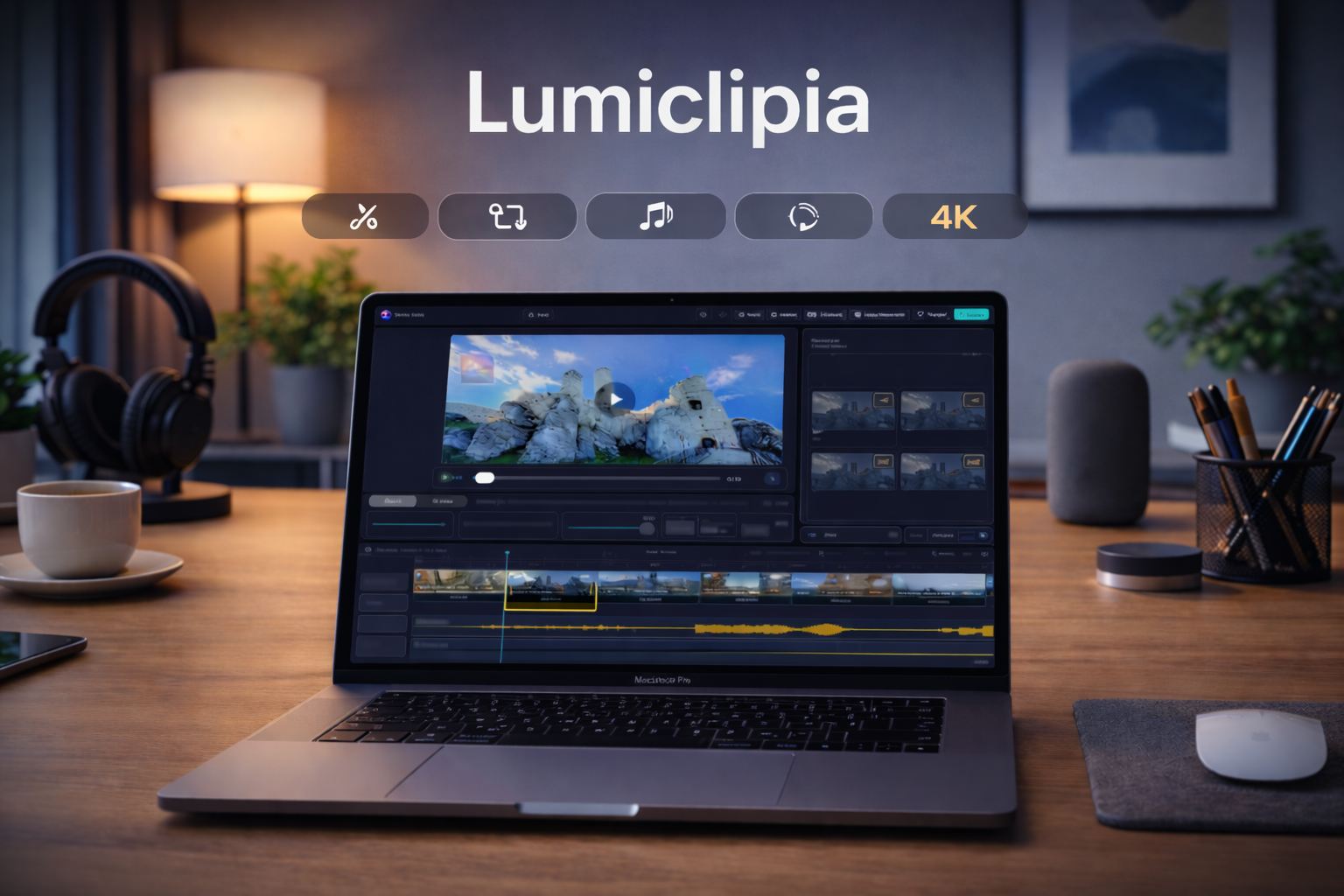
4K Export Multi-Track Timeline Stabilization Batch Edits Watermark Merger
Lumiclipia running on Mac
Core Editing Tools

Everything you need to cut, enhance, and export quickly.

From timeline control to watermark overlays and batch workflows, Lumiclipia keeps advanced editing approachable without slowing your process.

Multi-track timeline

Edit video and audio layers with clear track separation, clip controls, and fast project navigation.

Precise trimming and split

Cut on exact frames, split clips quickly, and keep edits accurate with responsive timeline feedback.

Stabilization, motion, effects, LUTs

Fine-tune shaky footage, apply motion presets, and grade colors with built-in effects and LUT support.

Audio waveforms and fades

Work with visible waveforms, control fade timing, and maintain clean transitions between audio segments.

Markers and auto markers

Organize complex edits with manual markers and auto-marker workflows for faster iteration on long timelines.

Batch editing

Run repetitive adjustments across multiple clips in one pass to keep turnaround times low.

Watermark and logo overlay

Place brand assets with simple controls for position, size, and opacity across your full project.

Built-in Merger

Merge multiple clips in a dedicated workspace with ordering controls and fast output options.

Export up to 4K (MP4/MOV)

Deliver in common formats with control over resolution and speed for social, client, or archive output.

Project Save/Load (.LMA)

Save and reopen project state with structured files. Availability depends on the current app release.

Workflow

Three steps from source footage to final export.

Keep your process simple: import media, edit precisely, then export in the resolution your project needs.
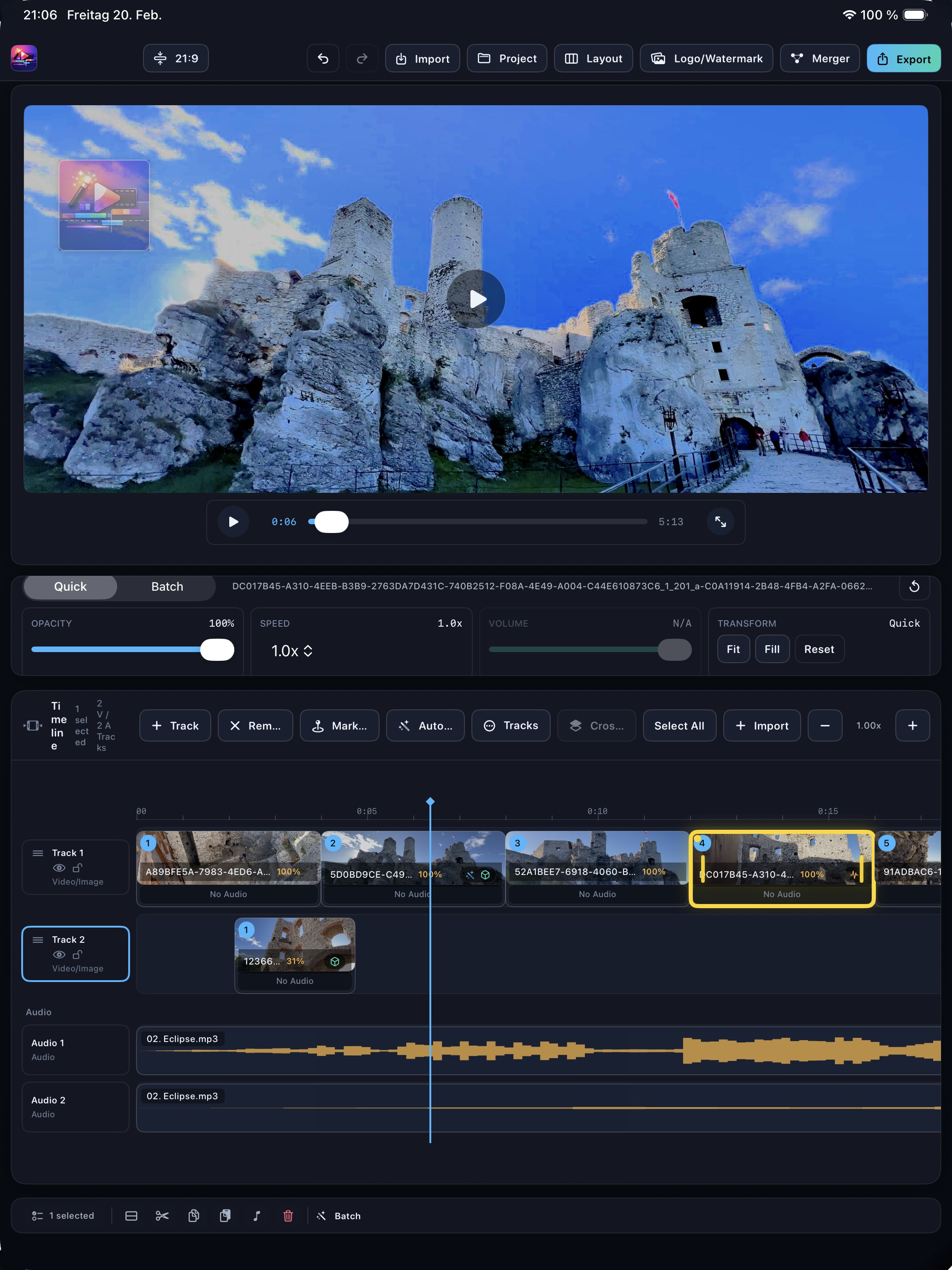
Lumiclipia import workflow on iPad
1. Import

Files and Photo Library

Bring clips in from Files or your Photo Library and prepare your edit list in seconds.
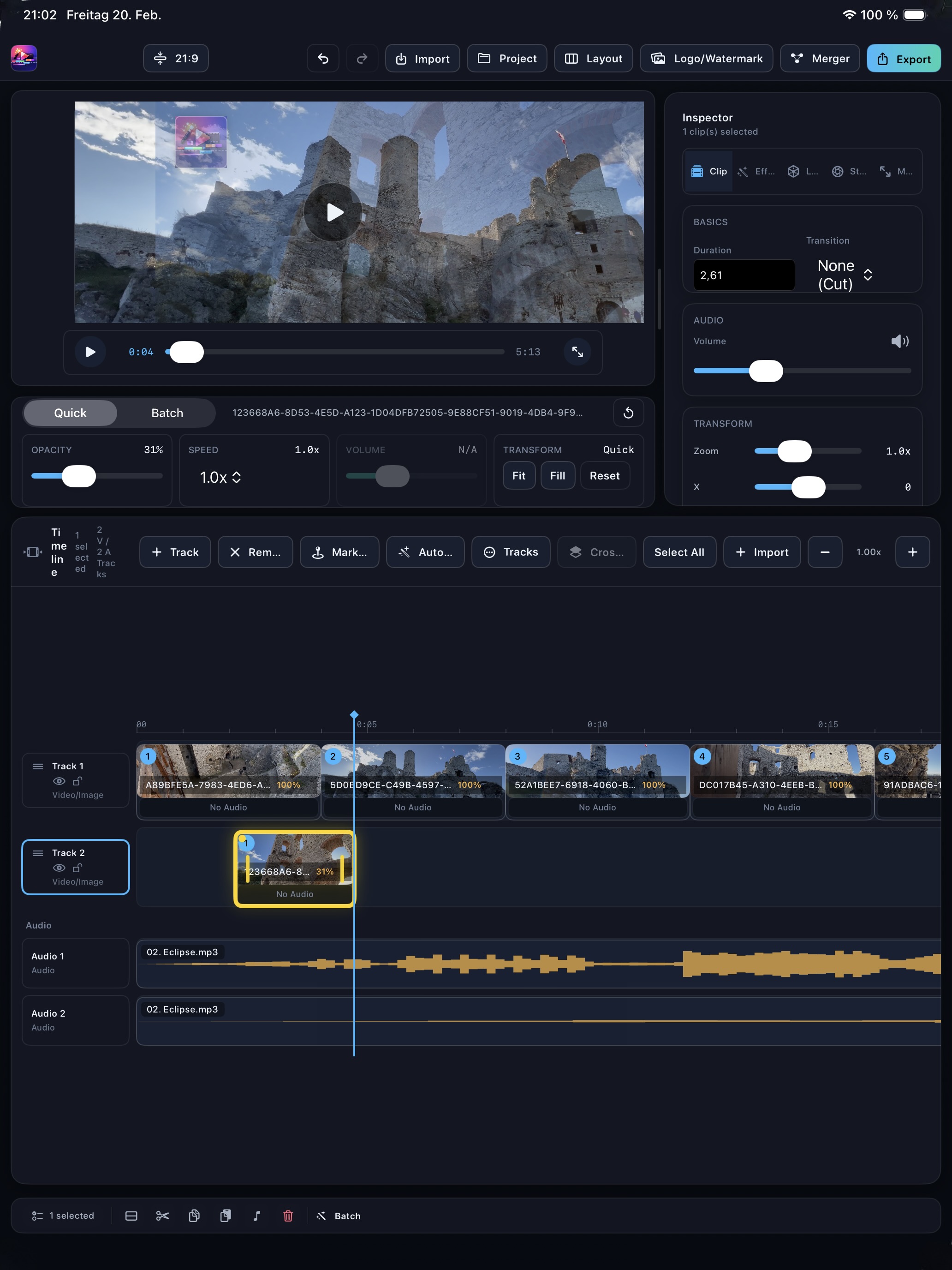
Lumiclipia timeline editing workflow
2. Edit

Timeline, effects, audio

Shape your cut with clip tools, effects, motion options, and multi-track audio control.
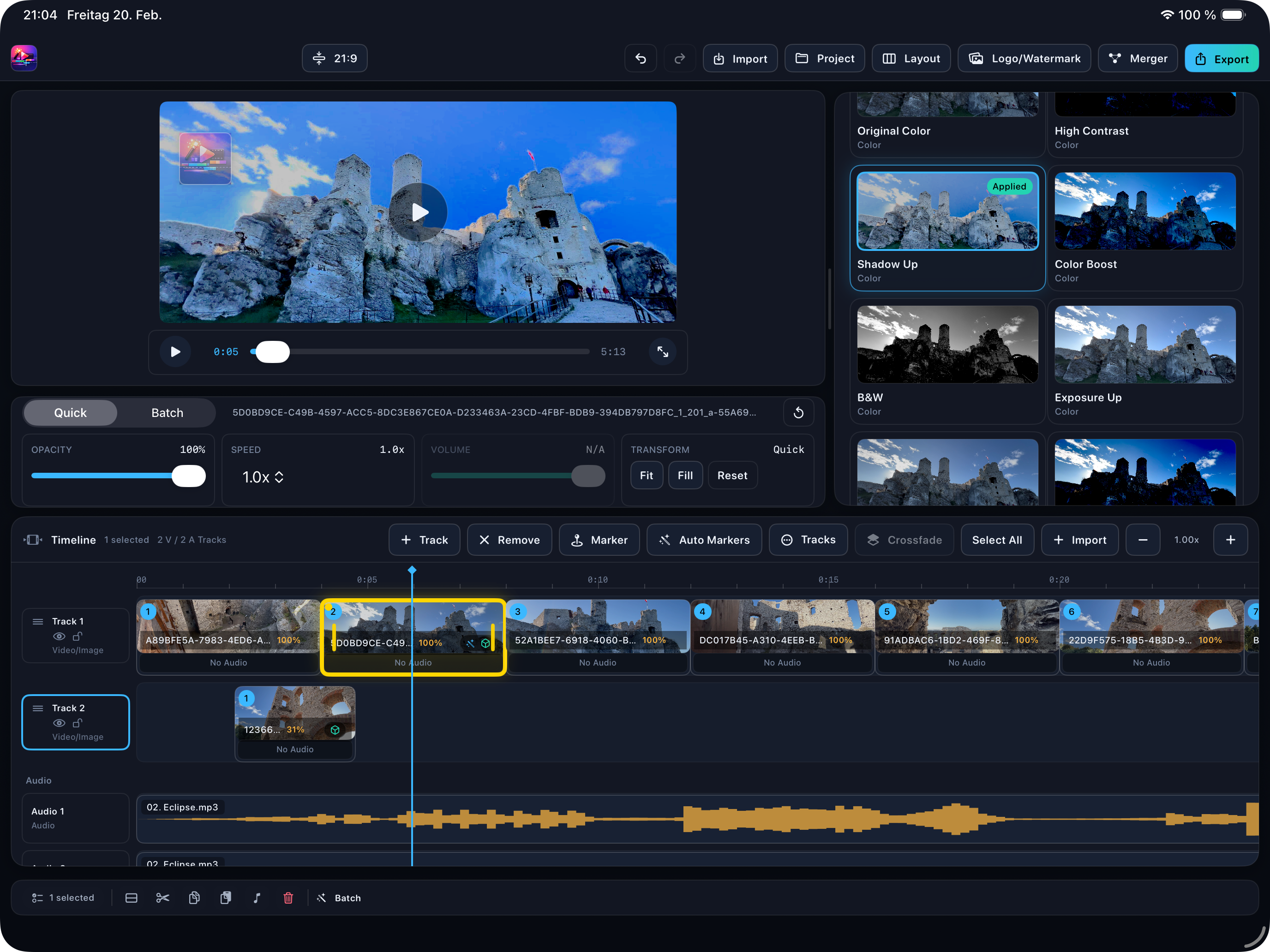
Lumiclipia export-ready edit
3. Export

720p, 1080p, or 4K

Choose output quality, keep rendering fast, and ship in MP4 or MOV for every platform.

Showcase

Real Lumiclipia screens from iPad and Mac workflows.

Browse the UI, open each shot in lightbox view, and review timeline, effects, LUT, motion, stabilization, watermark, and merger views.

Merger Workflow

Merge multiple videos in a dedicated workflow - fast.

When you only need to combine clips quickly, Lumiclipia gives you a focused merger interface without loading a full edit timeline.
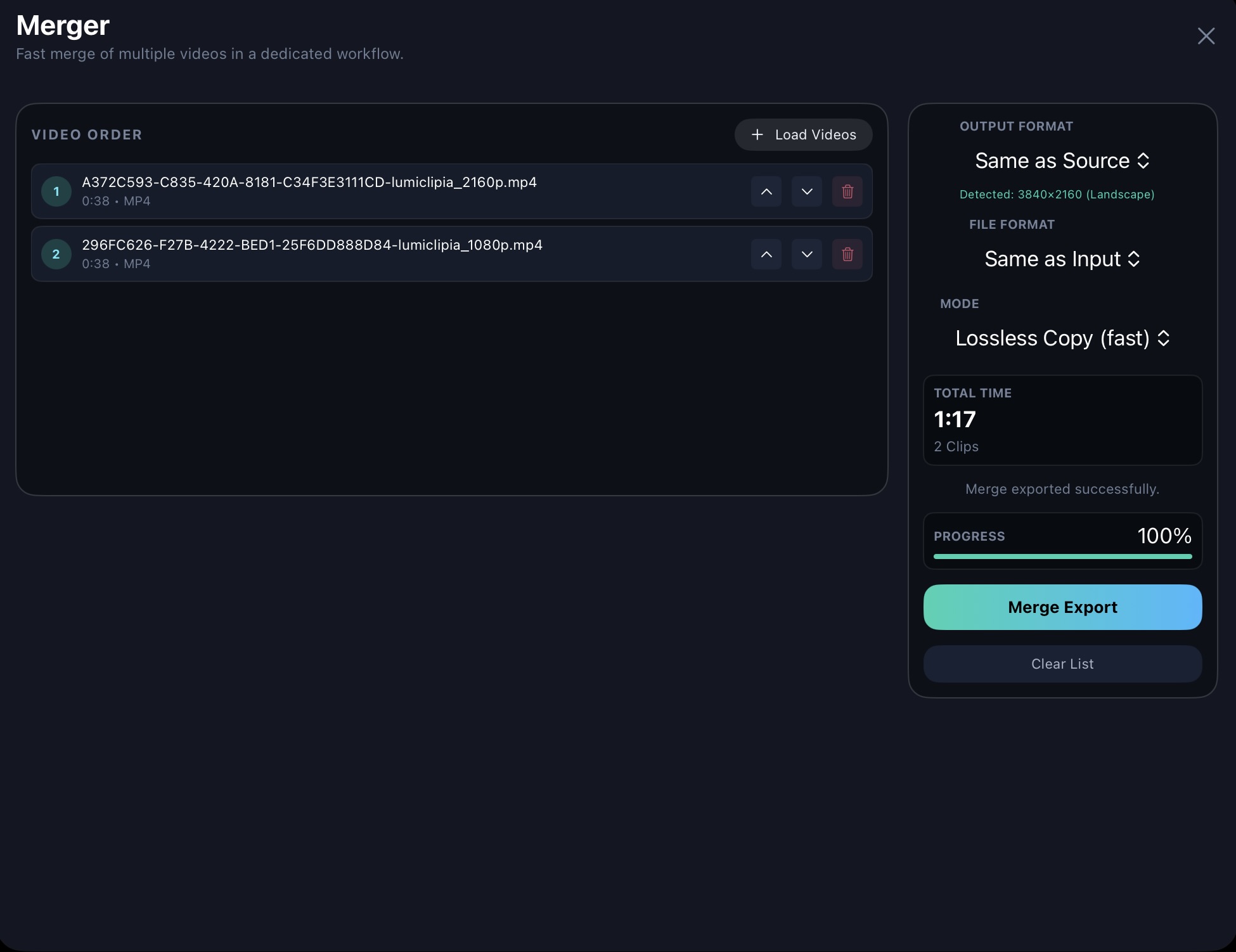
  • Reorder clips with clear up/down controls before final output.
  • Use fast export modes including lossless copy when source settings match.
  • Keep output settings simple with format and mode controls in one panel.
Lumiclipia merger section with clip order and export settings
Purchase

One-time purchase. No subscription.

Get Lumiclipia with a one-time purchase option and keep full control over your editing workflow without recurring monthly fees.

One-time purchase available No recurring billing
FAQ

Frequently asked questions

Lumiclipia supports common export workflows including MP4 and MOV, with output options from 720p up to 4K depending on source and device performance.
Lumiclipia is designed for iPad and Mac workflows, with interface patterns optimized for touch and desktop precision editing.
Yes. Lumiclipia includes LUT import and intensity control so you can apply and fine-tune custom looks directly inside the inspector.
Yes. You can add logo or watermark overlays and control size, opacity, position, and corner snapping from the same editing workflow.
Project persistence is based on structured project data, including .LMA workflows where available in your installed release.
Lumiclipia focuses on editing workflows and does not require advertising-based processing. See the Privacy Policy for the latest data handling details.
Use the contact section below, the dedicated contact page, or email Support@lumiclipia.com.

Quick Message

This quick form opens your email app. For direct submission with ticket tracking, use the full contact page.